
Why Google Lead Form Ads Are a Game-Changer for Lead Generation
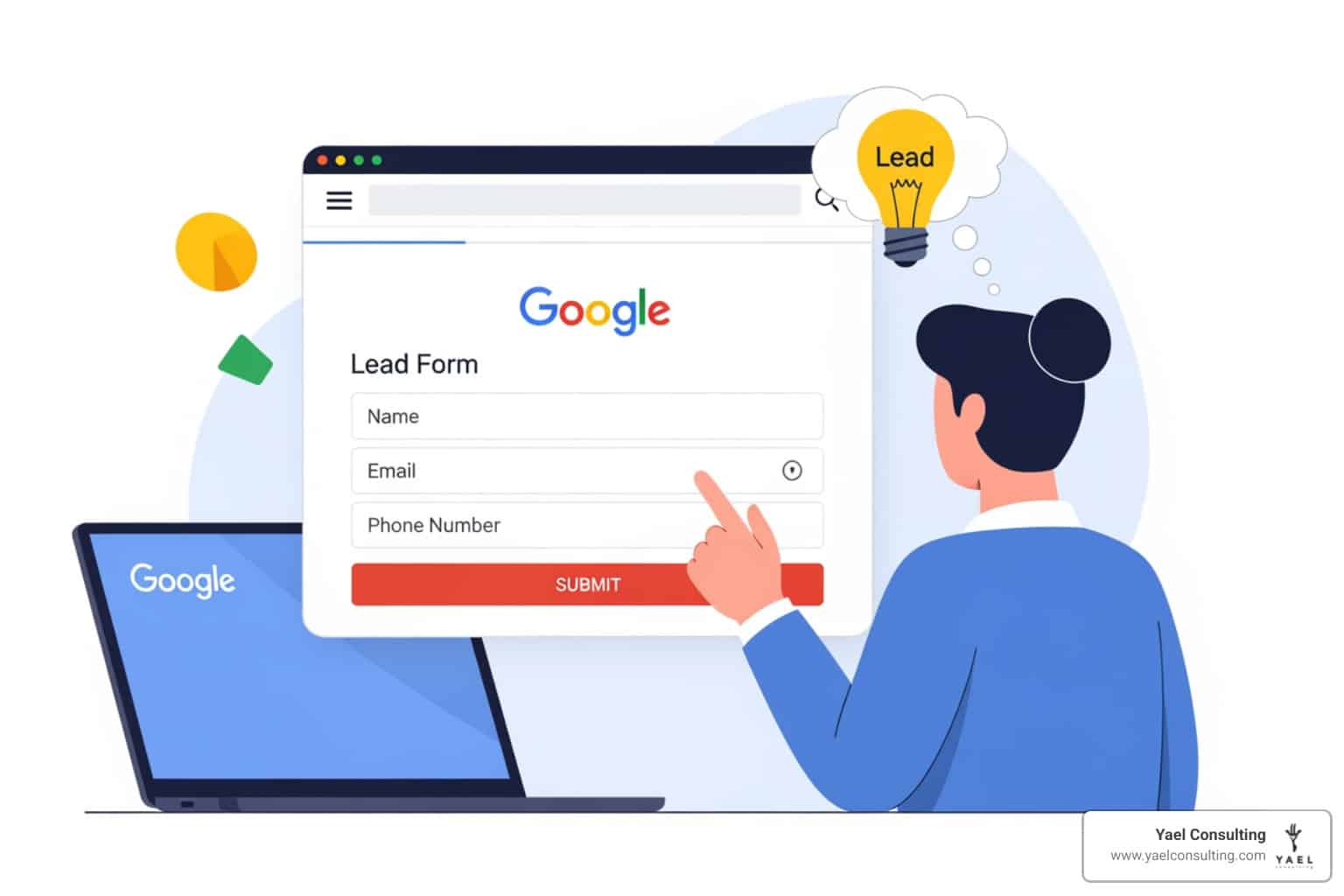
A google lead form ad is a Google Ads feature that lets potential customers submit their contact information—like name, email, and phone number—directly within your ad, without ever leaving Google’s platform. These forms appear in Search, Video, Performance Max, and Display campaigns, and they’re pre-filled with data from users’ Google accounts for one-tap submission.
Quick Overview:
- What it is: A form embedded directly in your Google ad that captures leads instantly
- Where it appears: Search results, YouTube videos, Discovery feeds, Display Network
- Key benefit: Eliminates landing page friction—users don’t need to visit your website
- Best for: Mobile users (who make up two-thirds of web traffic) and time-sensitive offers
- Main drawback: Requires spend thresholds for Video/Display ($50,000 total or $1,000+ with verification)
Here’s why this matters: slow-loading landing pages increase bounce rates by 40% and tank conversion rates by 7%. When someone searches for your service on their phone, every extra tap or page load is a chance to lose them. Lead form ads solve this by keeping the entire conversion process inside Google—no redirects, no waiting, no friction.
The challenge? Most businesses either don’t know these exist or set them up wrong. They skip qualifying questions, ignore CRM integration, or run them in the wrong campaign types. The result is wasted ad spend on low-quality leads that never convert.
I’m Lior Krolewicz, a former Special-Ops commander turned Google Ads expert who’s spent 15 years optimizing campaigns across every vertical. I’ve personally used google lead form ads to cut cost-per-lead by 40%+ for clients by combining military-grade execution frameworks with our proprietary IBEX technology—the same system that helped us achieve a 411% productivity increase while improving client performance by 23%.
Know your google lead form ad terms:
What is a Google Lead Form Ad and How Does It Work?
Think of a google lead form ad as the “express lane” of digital marketing. Traditionally, a user clicks your ad, waits for your website to load, finds the “Contact Us” page, and then manually types in their details. By the time they reach the “Submit” button, they might have lost interest, lost their Wi-Fi connection, or simply gotten distracted by a text message.
Lead form assets simplify the process of gathering customer details by cutting out the middleman: the landing page. When a user interacts with your ad, a form opens instantly. If they are signed into their Google account, their name and email are often already there. It’s frictionless, it’s fast, and it’s built for the way people browse today.
To make these forms work effectively, you need to ensure they are triggered by the right intent. This starts with your keyword strategy. Understanding how to use keyword match types ensures that your lead forms only appear to users whose search queries signal a high probability of conversion.
The Mechanics of a Google Lead Form Ad
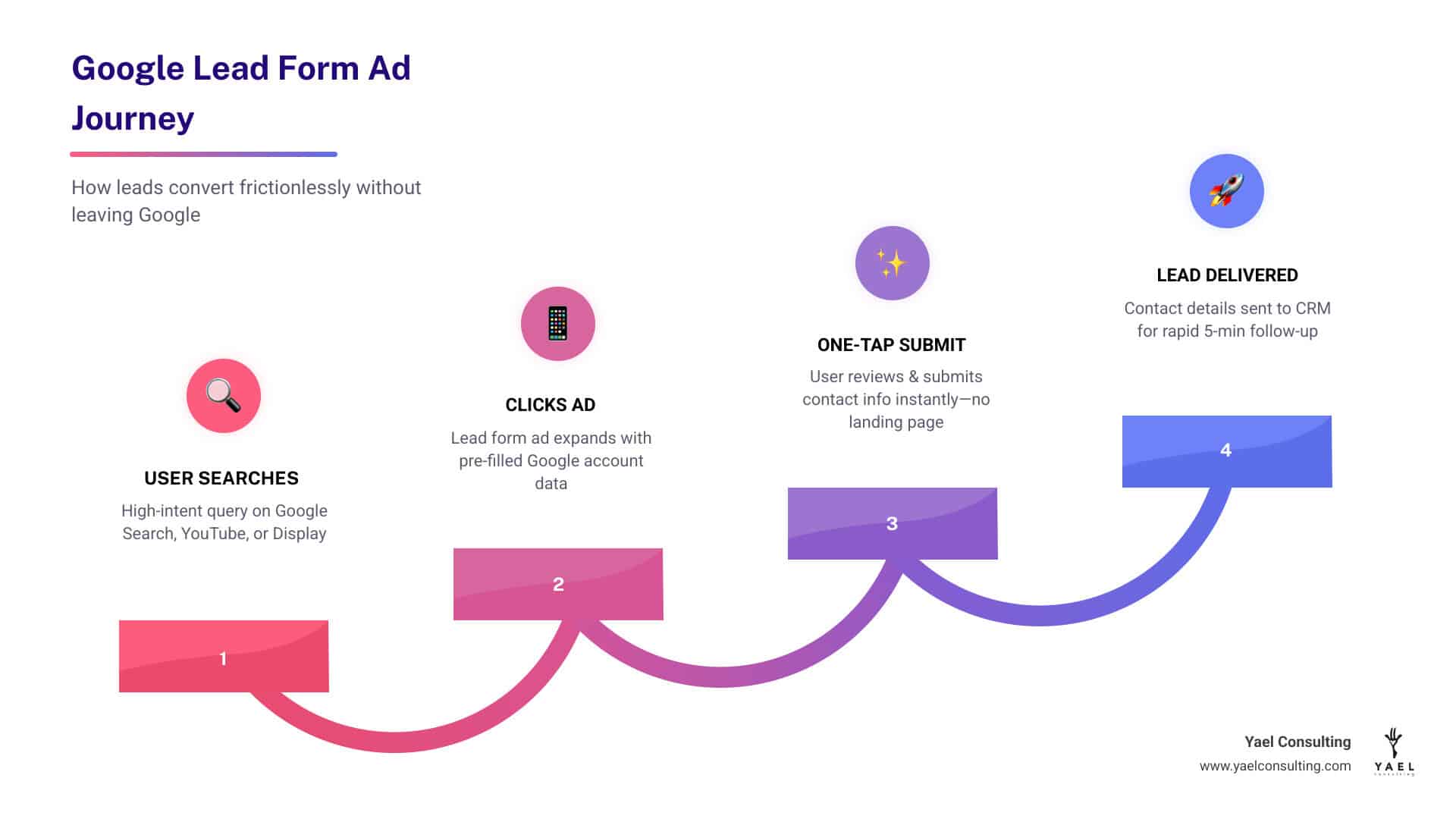
When we set up a google lead form ad, we are essentially attaching a lead form asset to a responsive search ad. Here is how the magic happens:
- The Trigger: A user sees your ad and clicks on the headline or a specific call-to-action (CTA) like “Get a Quote” or “Apply Now.”
- The Form: Instead of a browser redirect, a Google-hosted form slides up. This form is fully customizable with your business name, a headline, and a description.
- The Submission: The user reviews their pre-filled info, answers any custom questions you’ve added, and hits submit.
- The Confirmation: They see a custom submission message that can include a link to your website or a direct download (like an ebook).
Any activity like this is considered a conversion. Learn more about how Google defines valuable customer activities prompted by your advertising.
Why Mobile Users Prefer Lead Form Assets
We live in a mobile-first world. Statistics show that mobile users account for approximately two-thirds of web traffic worldwide. Furthermore, a staggering 96.3% of mobile internet users connect to social networks and search engines via their devices.
On a small screen, typing is a chore. If your landing page is even slightly slow, you’re in trouble. A slow-loading page can increase your bounce rate by 40%. The google lead form ad bypasses these technical hurdles entirely. It offers a one-tap submission experience that feels native to the mobile environment, drastically improving the user experience and, by extension, your conversion volume.
Key Benefits and Eligibility Requirements
The most immediate benefit of using these assets is the 10-15% increase in CTR that Google observes on average. By giving users a clearer, more direct path to their goal, you make your ad more attractive.
Beyond just clicks, these forms help you capture high-intent leads at the exact moment they are looking for a solution. However, before you jump in, you must ensure your account is healthy. We always recommend you how-to-audit-your-google-ads-account to check for policy compliance and historical performance, as Google restricts lead forms for accounts with a poor track record or those in sensitive verticals (like healthcare, gambling, or political content).
Campaign Types Supporting the Google Lead Form Ad
You aren’t limited to just standard search results. You can deploy a google lead form ad across almost the entire Google ecosystem:
- Search Campaigns: The most common use case, appearing alongside search results.
- Performance Max: Google’s automated campaign type uses lead forms to find customers across all channels.
- YouTube Video Ads: Forms appear below the video, allowing viewers to sign up without stopping their content.
- Discovery (Demand Gen) Campaigns: Perfect for reaching the 1 billion monthly users on Google Discover and 2.7 billion on YouTube.
- Display Network: Reaching users as they browse millions of websites and apps.
Spend Thresholds and Account Requirements
While Search lead forms are generally available to most, Video and Display placements have stricter requirements. To use lead forms in Video campaigns, your account usually needs more than $50,000 in total lifetime spend. Reputable advertisers with a strong history of compliance may access them with $1,000 per account (or $15,000 across multiple accounts) after completing advertiser verification.
Understanding these requirements is part of managing your overall investment. If you’re curious about how these costs fit into a professional management structure, check out our guide on google-ads-management-fees-unpacking-agency-pricing-models.
Setting Up and Optimizing Your Lead Form Assets
Setting up a lead form asset is a straightforward process within the asset library. You’ll navigate to the “Assets” tab, click the plus icon, and select “Lead form.”
The basic components include:
- Business Name: (Up to 25 characters)
- Headline: (Up to 30 characters)
- Description: (Up to 200 characters)
- Privacy Policy URL: This is mandatory. You must link to the page on your site that explains how you handle data.
Writing these components requires a strategic touch. Learning how to write effective ad copy on google adwords is essential to ensure your headline grabs attention and your description provides enough value to warrant a submission.
Customizing Questions for Your Google Lead Form Ad
One of the coolest features is the ability to add qualifying questions. Google offers over 50 pre-defined questions organized by industry (e.g., “What is your budget?” or “What type of vehicle are you interested in?”).
You can also choose between two optimization goals:
- More Volume: Best if you want as many leads as possible.
- More Qualified: Adds a friction step (like a CAPTCHA or more questions) to ensure only serious prospects submit.
For Search campaigns, you can even add a background image (1200×628 recommended) to make the form visually appealing.
Best Practices for High-Converting Forms
To get the most out of your google lead form ad, follow these battle-tested tips:
- Be Transparent: Price is often a huge factor in a buyer’s decision. If you can, mention your starting price or a “from” value to filter out those who aren’t in your bracket.
- Build Trust: While you can’t put a full review section in the form, using your 200-character description to mention awards or testimonials to establish trust can significantly boost conversion rates.
- Use Strong CTAs: Instead of “Submit,” try “Get My Free Quote” or “Download the Guide Now.”
- Negative Keywords: Don’t forget to use expert-tips-for-adding-negative-keywords to prevent your lead form from showing for irrelevant or “job-seeking” searches that waste your budget.
Lead Management: Integration and Tracking
Capturing the lead is only half the battle. If you don’t follow up quickly, the lead goes cold. Research shows that companies that contact leads within 5 minutes are 100x more likely to convert them.
To achieve this speed, you should set up a webhook integration. This automatically pushes lead data into your CRM (like HubSpot, Salesforce, or Zoho) the moment it’s submitted. If a direct webhook is too technical, tools like Zapier can act as a bridge.
| Feature | CSV Download | Webhook Integration | Google Ads API |
|---|---|---|---|
| Effort | Low (Manual) | Medium (Setup) | High (Development) |
| Speed | Slow | Instant | Instant |
| Data Retention | 30 Days | Permanent (in CRM) | 60 Days |
| Best For | Testing/Small Volume | Most Businesses | Large Enterprises |
Measuring Success and Cost Per Lead
To know if your google lead form ad is working, you need to track your data. Google uses DDA models (Data-Driven Attribution) to help you understand which keywords and ads are actually driving these submissions.
In terms of cost, you are charged per click when the form is opened. The average CPC for Google Ads in the U.S. is around $5.26 for Search. However, average CPC values vary wildly by industry. Typically, a Google lead can cost between $30 and $50, though competitive fields like legal or finance can see costs exceed $100. If your costs are spiraling, it might be time to learn how to fix your google ads account.
Frequently Asked Questions about Google Lead Form Ads
How long does Google store lead data for download?
Google only stores leads for 30 days in the CSV download file. If you haven’t downloaded them or integrated a CRM by then, that data is gone forever. This is why we strongly emphasize using a conversion tracking tool and automated exports. If you use the API, you can access data for up to 60 days.
Are Google lead forms effective for B2B lead generation?
Yes, absolutely. By using qualifying questions (like “What is your job title?” or “Company size?”), you can filter out casual searchers. High-intent B2B search leads are some of the most valuable in the ecosystem. You can learn more about how to convert high-intent search leads directly on Google Ads to sharpen your B2B strategy.
Can I use lead forms for remarketing campaigns?
You can! By using Google Customer Match, you can show lead forms to people who have already interacted with your brand. This is particularly effective in Discovery Campaigns. Leveraging your first-party data is a powerful way to scale Google Ads and bring past visitors back into your sales funnel with a low-friction offer.
Conclusion
The google lead form ad is more than just an extension; it’s a fundamental shift toward a frictionless, mobile-first conversion experience. By meeting your customers where they are—whether that’s on a search page, a YouTube video, or their Discovery feed—and making it effortless for them to say “yes,” you position your business for rapid growth.
At Yael Consulting, we don’t just “set and forget” these forms. We treat every campaign with the precision of a special-ops mission. Our boutique approach means you get direct CEO involvement and a strategy tailored to your specific market exclusivity. We’ve seen how a well-optimized lead form can transform a struggling campaign into a profit-generating machine.
Ready to see how a google lead form ad can revolutionize your lead generation? Don’t leave your ROI to chance. We offer a free, actionable 15-minute Google Ads analysis where we’ll look under the hood of your account and show you exactly where the gaps are.
Maximize your ROI with expert Google Ads management and let us help you turn those clicks into customers.