

Why Tracking Call Only Ads Is Costing You Money Right Now
To track call only ads in Google Ads, here is the fastest path:
- Enable Call Reporting in your Google Ads account settings
- Create a conversion action under Goals > Summary > + Create conversion action > Calls from ads
- Set a minimum call duration to filter out short, low-quality calls
- Use a Google Forwarding Number (GFN) in your call ad or call asset
- Monitor results in your Conversions column and optimize bids accordingly
Every day, businesses spend real money on Google Ads and have no idea which calls those ads actually generated. That is not a small problem.
Consider this: 62% of marketers cannot attribute phone calls back to the campaigns that drove them. Meanwhile, 48% of consumers prefer calling a business over any other contact method. You are paying for clicks that turn into calls, and most of those calls are invisible in your data.
Call only ads make this even trickier. Unlike standard ads where someone visits your website first, call only ads send the user directly to a phone call. There is no landing page visit. No form submission. No easy breadcrumb trail to follow. The click happens, a call popup opens, and if you are not set up correctly, that conversion just disappears.
The result? You end up cutting budgets on campaigns that are actually working, or pouring money into ones that are not.
I’m Lior Krolewicz, a Google Ads consultant with 15+ years of experience helping businesses stop wasting ad spend, and tracking call only ads is one of the most overlooked fixes I find in nearly every account I audit. In this guide, I’ll walk you through exactly how to close that gap.
Understanding Call Only Ads vs. Call Assets
Before we dive into the “how-to,” we need to clarify what we are actually tracking. In Google Ads, there are two primary ways to get a user to call you directly from the search results page: Call Only Ads and Call Assets (formerly known as call extensions).
Call Only Ads are a specific campaign type designed exclusively for mobile devices. When a user clicks your ad, their phone’s dialer app opens immediately with your number pre-filled. They don’t go to your website; they go straight to a conversation. This is a powerful new AdWords feature: Call-only campaigns that prioritizes immediate contact over website traffic.
Call Assets, on the other hand, are additions to your standard search ads. They display your phone number alongside your website link. The user has a choice: click the headline to visit your site, or click the phone number to call you.
| Feature | Call-Only Ads | Call Assets (Extensions) |
|---|---|---|
| Primary Goal | Phone Calls | Website Visits + Calls |
| Device Focus | Mobile Only | Mobile & Desktop |
| Click Action | Opens Phone Dialer | Opens Dialer OR Website |
| Landing Page | Optional (Verification only) | Required |
| Best For | Emergency services, high-intent leads | General lead gen, e-commerce |
Understanding this distinction is vital because the way you track call only ads differs slightly from how you track a call that happens after someone visits your website. With call-only ads, the “click” is the “call initiation,” making accurate attribution even more critical.
Why You Must Track Call Only Ads for ROI
If you aren’t tracking your calls, you are essentially flying blind. Research shows that an estimated €50B+ is wasted annually on underperforming ad placements. Why? Because marketers see a “click” but no “conversion,” so they assume the ad failed. In reality, that click might have resulted in a $10,000 phone sale that simply wasn’t recorded.
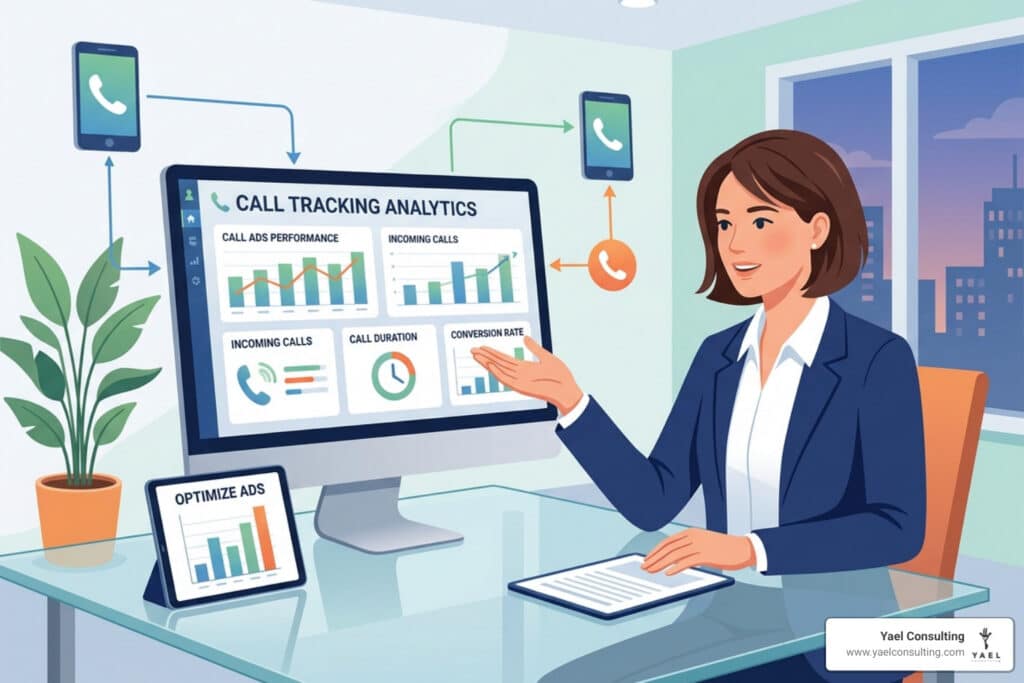
This “attribution gap” is where ROI goes to die. When you track call only ads, you move from guessing to knowing. You can see exactly which keyword triggered the call, what time of day the call happened, and how long the conversation lasted. Given that 48% of consumers prefer calling over other contact methods, ignoring this data means you are ignoring nearly half of your potential success metrics.
Step-by-Step: How to Track Call Only Ads Using Google Forwarding
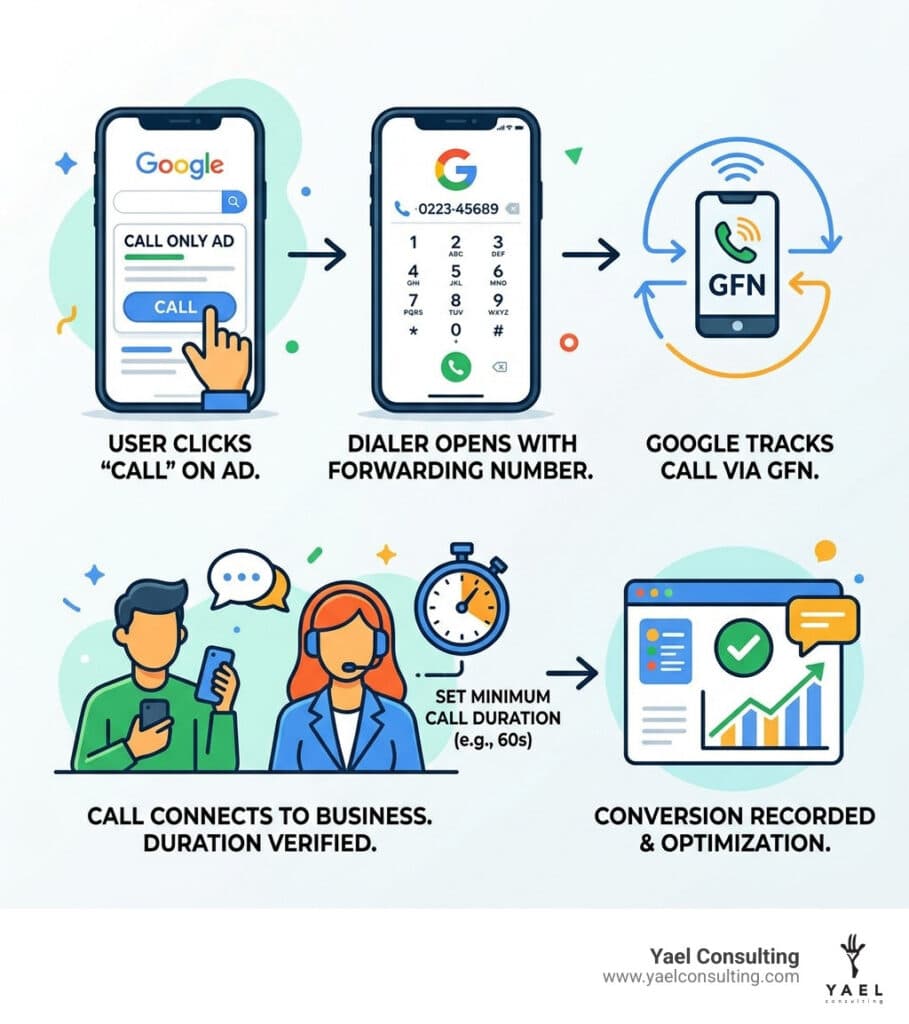
The most common and accessible way to track call only ads is by using a Google Forwarding Number (GFN). This is a unique phone number provided by Google that sits on top of your actual business number. When a customer calls the GFN, Google routes the call to you and records the data.
The Setup Process:
- Enable Call Reporting: Log into your Google Ads account. Navigate to Account Settings and ensure “Call Reporting” is turned on. This is the master switch that allows Google to generate forwarding numbers.
- Create the Conversion Action: Go to Goals > Summary and click the plus button to create a new conversion action. Select Phone Calls and then choose Calls from ads using call assets or call-only ads.
- Define Conversion Settings:
- Value: Assign a dollar value to the call if you know your average lead worth.
- Call Length: This is crucial. Set a “Minimum Call Duration” (e.g., 60 seconds). This ensures that a 2-second “wrong number” or hang-up isn’t counted as a successful conversion.
- Implement in the Ad: When creating your Call Only Ad, select the option to “Use a Google forwarding phone number and track conversions.”
- Leverage Automated Bidding: Once the data starts flowing, you can use Target CPA (Cost Per Acquisition) bidding. Google’s AI will automatically adjust your bids to find more people likely to make a call that lasts longer than your minimum duration.
Track call clicks from ads and assets – Google Ads Help provides further technical details on managing these assets, but the steps above cover the core implementation for most businesses.
Requirements to Track Call Only Ads Successfully
You can’t just flip a switch and expect 100% accuracy immediately. Google has specific requirements to ensure the system works:
- Eligible Countries: Google Forwarding Numbers are only available in specific countries (including the USA).
- Click Thresholds: This is a “gotcha” for small accounts. To start showing a forwarding number, an ad group typically needs 20 to 50 clicks per month. To maintain that threshold, you need about 10-20 clicks per month. If your volume is too low, Google may just show your regular business number, and you won’t get tracking data for those calls.
- Domain Verification: Google must verify that you actually own the phone number you are advertising. You can do this by linking your Google Search Console account or by ensuring the phone number appears in plain text on the landing page associated with the ad. For a deeper dive into these requirements for specific industries, see the attorney’s guide to Google call ads.
- Business Profile Linking: If you are a local business, linking your Google Business Profile to your Ads account is highly recommended. This allows for better attribution of calls coming from location assets.
Advanced Methods to Track Call Only Ads and Website Calls
While Google’s native forwarding is great, it has limitations. It doesn’t always tell you what happened on the call, and it doesn’t help if the user visits your website first and then dials the number manually. This is where Dynamic Number Insertion (DNI) comes in.
DNI is a technology that uses a small snippet of JavaScript on your website. When a user arrives via a Google Ad, the script automatically swaps your regular business number for a unique tracking number tied to that specific visitor’s session.
This allows for keyword-level tracking. You won’t just know that “an ad” drove a call; you’ll know that the keyword “emergency plumber Los Angeles” drove a 10-minute call from a specific zip code. This level of source-level attribution is the “gold standard” for high-performance marketing.
Using Third-Party Tools to Track Call Only Ads
For businesses that need more than just “call duration” data, third-party call tracking platforms are essential. These tools integrate with Google Ads and your CRM to provide a holistic view of your marketing.
- Real-Time Attribution: See calls as they happen and identify the exact ad creative that triggered the dialer.
- Call Recording & Transcription: Listen to calls to evaluate lead quality. Did the caller ask about your services, or were they looking for a different business? This helps you filter out “junk” clicks.
- Conversation Analytics: Use AI to automatically tag calls as “Lead,” “Sale,” or “Support” based on the words used during the conversation.
- Offline Conversions: If a call leads to a sale three weeks later in your office, you can import that “offline conversion” back into Google Ads. This tells Google’s bidding algorithm, “This specific keyword didn’t just drive a call; it drove a $5,000 sale. Find more people like this!”
- Multi-Platform Support: These tools also work for Microsoft Advertising (Bing Ads), where you can set up call extensions and forwarding numbers similarly to Google.
Troubleshooting and Optimizing Your Call Tracking Setup
Even the best-laid plans can hit a snag. Here is how to handle common issues when you track call only ads.
Google Disapproval: If your ad is disapproved for “Phone Number Requirements,” it’s usually because Google couldn’t verify the number on your site. Make sure the number is in text format, not an image. Google’s “bots” can’t read a phone number inside a JPEG.
Click Fraud: This is a major concern for call-only ads. Because a click on a call-only ad costs the same as a regular click (and often more), competitors or bots can click your ad to drain your budget without ever making a call. Tools like Clixtell can help monitor this by comparing “clicks” to “actual call connections.” If you see 100 clicks but only 2 calls, you likely have a fraud problem.
Verification Requirements: To meet Google’s destination requirements, ensure your domain ownership is verified. Linking to Google Search Console is the fastest way to do this.
Optimizing for Quality: Don’t just track any call. Use the data to see which ads drive the longest conversations. A campaign driving 50 calls that last 10 seconds is a failure; a campaign driving 5 calls that last 10 minutes is a goldmine. Use the call-to-action: how to call effectively principles to ensure your team is closing those leads once the tracking brings them in.
Frequently Asked Questions about Call Tracking
How do I verify my phone number for Google Ads?
To verify your number, it must appear on the website featured in your ad. Google needs to see that the business number you’re using in your “Call Only” ad is legitimate. The best way is to have the number in the header or footer of your landing page in plain text. Additionally, linking your Google Search Console to your Ads account provides an extra layer of verification that usually satisfies Google’s requirements.
Can I track call only ads without a Google Forwarding Number?
Yes, but it is less accurate. You can track “Call Clicks,” which counts every time someone clicks the “Call” button. However, this doesn’t tell you if the call actually connected or how long it lasted. Google uses “estimated duration” for some of these metrics, but for real ROI analysis, a GFN or a third-party tracking number is highly recommended. You can set these “clicks” as secondary conversion actions to gather data without affecting your primary bidding strategy.
What is the minimum call duration for a conversion?
There is no “one size fits all” answer, but 60 seconds is a standard starting point for many industries. If your average sales qualification takes 3 minutes, set your duration to 180 seconds. This filters out “junk” calls and ensures you are only optimizing your ads for high-quality prospects who are actually engaging with your sales team.
Conclusion
At the end of the day, marketing is about math. If you can’t measure the result, you can’t improve the outcome. Tracking call only ads is the bridge between spending money and making a profit. By following the steps in this guide, from enabling call reporting to implementing advanced DNI, you can finally see the full picture of your marketing effectiveness.
At Yael Consulting, we see these gaps every day. We are a boutique Google Ads agency with over 15 years of expertise in driving significant profit growth for our clients. We don’t just look at clicks; we look at the bottom line. Our USP is simple: we offer a free, actionable 15-minute Google Ads analysis where we’ll look under the hood of your account and show you exactly where your tracking is failing and where your budget is being wasted.
Don’t let your marketing stay invisible. Make data-backed decisions and start treating your phone calls like the high-value conversions they are.