

Why Negative Keywords Are Your Secret Weapon Against Wasted Ad Spend
An example of negative keywords includes terms like “free,” “jobs,” or “DIY” that you add to your Google Ads campaigns to prevent your ads from showing for irrelevant searches. Here are some common examples:
| Category | Example Negative Keywords |
|---|---|
| Universal | free, cheap, jobs, careers, download, torrent |
| E-commerce | DIY, repair, used, second-hand, homemade |
| B2B/SaaS | free trial (if not offered), open source, crack, alternatives |
| Premium Brands | discount, bargain, budget, low cost, affordable |
If you’re running Google Ads, you’ve likely seen your budget disappear on clicks that never convert. Most accounts waste spend on irrelevant keywords—it’s like paying for a billboard in the wrong city.
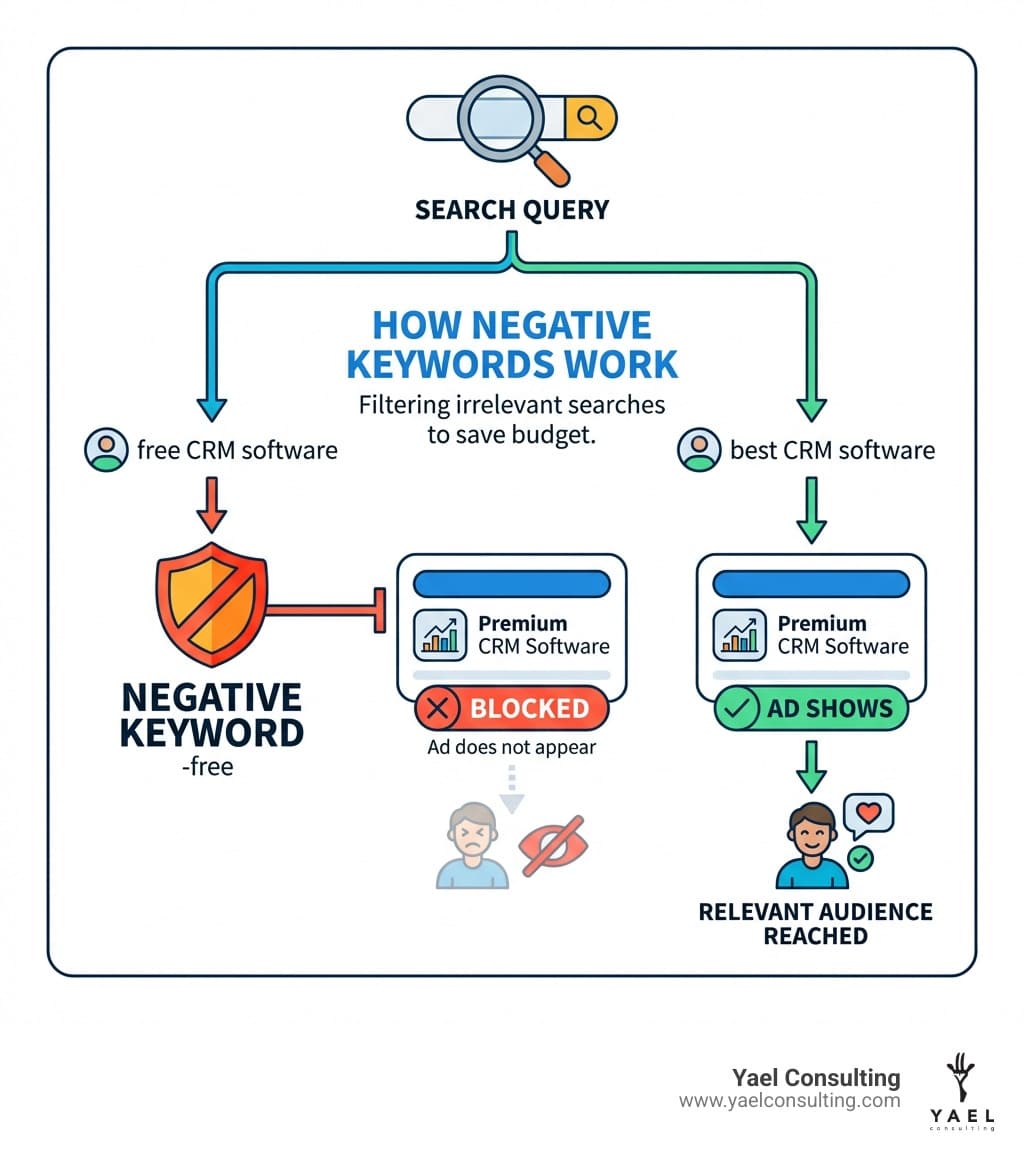
Negative keywords are words or phrases you add to your campaigns to tell Google when NOT to show your ads. They are the flip side of regular keywords and are just as important. When someone searches for “free CRM software” but you sell premium business software, a negative keyword like “-free” prevents your ad from appearing. No wasted click, no wasted money.
Paid search is a $300+ billion industry, and negative keywords are a powerful tool to improve ad relevance and protect your budget. They focus your ad spend on qualified buyers, leading to better click-through rates, higher Quality Scores, and more conversions.
I’m Lior Krolewicz, founder of a boutique Google Ads agency with over 15 years of experience optimizing millions in ad spend. I help clients use negative keywords to slash irrelevant traffic and boost ROI.
What Are Negative Keywords and Why Are They Crucial for PPC Success?
While positive keywords tell Google when to show your ad, negative keywords tell Google when not to show it. They are terms you add to prevent your ads from appearing for irrelevant search queries.
Think of them as a filter. By excluding irrelevant terms, you ensure your ads are seen by a qualified audience, which improves ad relevance. According to Search Engine Land, this saves your budget and protects click-through rates as you scale.
The impact on your budget and Return on Ad Spend (ROAS) is immediate. By avoiding clicks from uninterested searchers, you stop wasting money. This focus on relevance boosts your Click-Through Rate (CTR), which improves your Quality Score. A better Quality Score leads to lower Cost-Per-Click (CPC), better ad positions, and ultimately, a higher ROI.
Key Benefits and Performance Impacts of Negative Keywords
Using an example of negative keywords strategically delivers several key benefits:
- Save Money & Increase ROI: Stop paying for irrelevant clicks that won’t convert. Every dollar saved is a direct boost to your Return on Investment (ROI).
- Increase Conversions & Qualified Traffic: By showing ads only to relevant searchers, you attract traffic that is genuinely interested in your offer, leading to higher conversion rates.
- Improve CTR & Quality Score: Highly relevant ads get more clicks, boosting your Click-Through Rate (CTR). Google rewards this with a higher Quality Score, which can lead to lower costs and better ad placement.
- Improve Ad Group Relevance: Fine-tune ad groups to focus on specific user intents, preventing keyword cannibalization and ensuring the right ad shows for the right query.
- Protect Brand Image: Exclude undesirable search terms (e.g., “cheap,” “scam”) to safeguard your brand’s reputation.
- Get Cleaner Data: Filtering out irrelevant traffic provides more accurate performance data, enabling better optimization decisions.
Understanding Negative Keyword Match Types
Like positive keywords, negative keywords use match types to control how broadly or narrowly you exclude search terms. Using the right match type is crucial to avoid blocking valuable traffic or allowing irrelevant clicks.
Each match type offers a different level of filtering precision.
Negative Broad Match
Your ad won’t show if a search contains all the words in your negative keyword, in any order. However, it may still show for partial matches (e.g., singular vs. plural forms), so you must add variations.
- Syntax example:
running shoes - When to use: Use for broad concepts entirely irrelevant to your business. For example, a luxury watch seller might add
cheap watchesto block searches like “watches cheap online.”
Negative Phrase Match
Your ad won’t show if a search contains the exact keyword phrase in the correct order. Other words can appear before or after the phrase.
- Word order importance: The order of words is critical.
running shoesis different fromshoes running. - Syntax example:
"running shoes" - When to use: Use to exclude specific multi-word phrases. A seller of high-performance running shoes might add
"casual shoes"to block searches for “buy casual shoes online” while still appearing for “best casual running shoes.”
Negative Exact Match
Your ad won’t show if the search query is an exact match to your negative keyword, with no extra words. This is the most restrictive type.
- Syntax example:
[running shoes] - When to use: Use to block a specific, known irrelevant search term. If you sell new shoes, you might add
[used Adidas Ultraboost 1.0]as a negative exact match to block that specific query while allowing others.
Here’s a handy table to help us visualize the differences:
| Match Type | How It Works | Example: Negative Keyword ‘running shoes’ |
|---|---|---|
| Broad | Ad won’t show if search contains all negative terms, in any order. | Search: “best shoes for running” – Ad won’t show Search: “running shoe” – Ad might show (singular vs. plural) Search: “blue running shoes” – Ad won’t show |
| Phrase | Ad won’t show if search contains the exact phrase in order, with or without extra words. | Search: “buy running shoes online” – Ad won’t show Search: “shoes for running” – Ad will show Search: “running shoes for women” – Ad won’t show |
| Exact | Ad won’t show if search is exactly the negative keyword, with no other words. | Search: “running shoes” – Ad won’t show Search: “best running shoes” – Ad will show Search: “running shoes for sale” – Ad will show |
The Ultimate List: An Example of Negative Keywords for Any Campaign
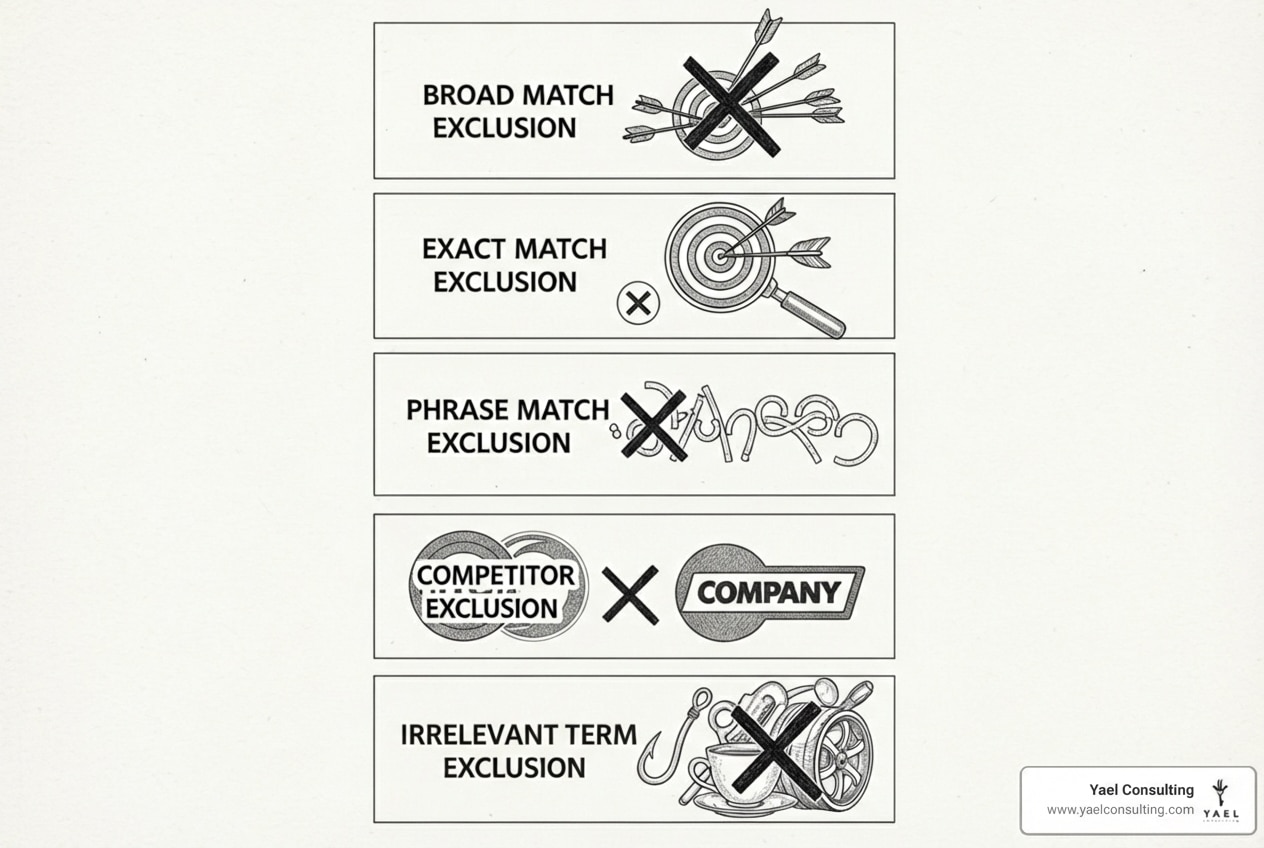
Here is a comprehensive list of an example of negative keywords for various industries. Always tailor these lists to your specific business goals.
Universal & General Negative Keywords
These terms are almost always irrelevant for businesses seeking sales or leads. Add them to an account-level negative keyword list.
- Price/Quality:
free,cheap,discount,bargain,low cost,affordable(if not a budget brand). - Employment:
jobs,careers,salary,resume,employment,hiring. - Informational Intent:
guide,tutorial,how to,what is,example,template,reviews,vs,comparison. - Illegal/Irrelevant Media:
torrent,download,crack,warez,pictures,images,videos. - Navigational:
wikipedia,youtube,amazon,ebay.
An Example of Negative Keywords for E-commerce Businesses
Filter out searches from users who aren’t looking to buy a finished, new product.
- DIY Intent:
DIY,homemade,do it yourself. - Repair/Parts:
repair,fix,mend,broken,parts,components(unless you sell them). - Used Goods:
used,second-hand,pre-owned,vintage(if you only sell new items). - Non-Purchase Intent:
rental,lease,warranty,guarantee. - Local Intent (for online-only):
near me,local,directions. - Wholesale:
wholesale,bulk(if you only sell retail).
An Example of Negative Keywords for B2B & SaaS Companies
Target business decision-makers by excluding terms related to students, individuals, or job-seekers.
- Experience Level:
entry level,junior,beginner. - Company Size:
small business(if enterprise-focused),personal,individual. - Education/Training:
student,college,university,training,course,certification. - Technical/Development:
open source,developer API,api,integration(unless it’s your core offering). - Competitor Research:
alternatives,competitors. - Existing Customers:
login,dashboard,support.
Industry-Specific Negative Keyword Examples
Here are some industry-specific examples:
- Legal/Law Firms (USA, New York, Los Angeles):
pro bono,free advice,public defenderforms,templates,DIY legaljobs,paralegal,internshiplaw school,bar exam
- Real Estate (USA, New York, Los Angeles, Israel):
rent,apartment,lease(if selling)for sale by owner,FSBOforeclosure,short sale(if not specializing)jobs,agent salary
- Automotive (USA, New York, Los Angeles, Israel):
junkyard,scrap,parts,salvagerepair,mechanic,service(if only selling cars)lease,rental(if selling)DIY car maintenance
- Healthcare/Medical Services (USA, New York, Los Angeles, Israel):
home remedy,natural cure,holistic(for traditional practices)symptoms,diagnosis(if advertising a specific treatment)jobs,nursing school,medical billingfree clinic,low cost medical
How to Find, Implement, and Manage Your Negative Keyword Lists
Finding and applying an example of negative keywords is an ongoing process of monitoring and refinement. Where you apply them—at the account, campaign, or ad group level—depends on your campaign structure.
Finding New Negative Keywords
The best source for negative keywords is your own account data.
- Google Ads Search Terms Report: This is your goldmine. Regularly review this report (weekly for active campaigns) to find irrelevant queries that triggered your ads. Add them to your negative keyword list.
- Brainstorming User Intent: Before launch, brainstorm what your ideal customer isn’t looking for. For a luxury travel agency, this might include
hostel,budget airline, orbackpacking. - Competitor Analysis (Conceptual): Analyze what terms your competitors might be excluding. If a competitor only sells electric vehicles, they likely exclude
gasolineanddiesel. - Google Keyword Planner: Use the planner to spot related but irrelevant terms during your keyword research.
- Google Search Autocomplete & “People Also Ask”: Type your core keywords into Google. The autocomplete suggestions and “People Also Ask” box can reveal informational or irrelevant queries to add as negatives.
Best Practices for Implementation and Management
Implement and manage your lists effectively with these best practices:
- Account vs. Campaign vs. Ad Group Level: Use account-level for universal negatives (
jobs,free), campaign-level for campaign-specific exclusions (trucksin a ‘sedan’ campaign), and ad group-level for granular control (women'sin a ‘men’s shoes’ ad group). - Using Shared Negative Keyword Lists: Create lists (e.g., “Universal Negatives”) and apply them to multiple campaigns to save time. You can have up to 20 lists with 5,000 keywords each.
- Including Plurals, Singulars, and Misspellings: Negative keywords don’t automatically match close variants. You must manually add plurals, singulars, and common misspellings (e.g.,
shoeandshoes) for full coverage. - Regular Review Cadence (Weekly/Monthly): Review your Search Terms Report weekly for active campaigns to keep your lists current.
Avoiding Common Pitfalls
Watch out for these common mistakes:
- Over-exclusion: Be careful not to block relevant searches by being too aggressive with broad match negatives.
- Using the wrong match type: Choose the match type that matches your intent. An incorrect choice can be too restrictive or not restrictive enough.
- “Set it and forget it” mentality: Negative keyword management is an ongoing process, not a one-time setup.
- Not understanding how symbols and close variants work: Negative keywords don’t match close variants. You must add variations manually.
Frequently Asked Questions about Negative Keywords
Here are answers to some of the most common questions we get from clients.
How many negative keywords can I have in Google Ads?
Google Ads has specific limits depending on where you apply them:
- Account-level: Up to 1,000 negative keywords.
- Negative keyword list: Up to 5,000 negative keywords per list.
- Number of lists: Up to 20 negative keyword lists per account.
- Display and Video campaigns: A maximum of 5,000 negative keywords at the campaign level.
These limits are generous enough for even the largest accounts.
Do negative keywords affect my organic SEO ranking?
No, negative keywords in Google Ads do not directly affect your organic SEO ranking. PPC and SEO use separate algorithms. However, the user intent research you do for negative keywords can indirectly benefit your SEO strategy by helping you create more targeted content.
What’s the difference between a negative keyword and a content exclusion?
The key difference is where the exclusion happens:
- Negative Keywords: Used for Search campaigns. They block your ads based on the words a user searches for.
- Content Exclusions: Used for Display and Video campaigns. They prevent your ads from appearing on specific websites, apps, or next to certain types of content (e.g., sensitive topics). You can manage these in the Content page in Google Ads.
In short, negative keywords are about what people search, while content exclusions are about where your ads appear.
Conclusion
We’ve covered how negative keywords are a powerful tool for PPC success. From match types to practical example of negative keywords, using them correctly drives efficiency, relevance, and better results.
By diligently managing your negative keyword lists, you can:
- Save ad budget by eliminating irrelevant clicks.
- Increase CTR, Quality Scores, and conversion rates.
- Attract more qualified traffic and boost ROAS.
- Protect your brand image by controlling ad placements.
The landscape of online search is constantly evolving, and so too should our negative keyword strategy. It’s an ongoing optimization process, not a one-time task. At Yael Consulting, we understand the strategic importance of this often-overlooked aspect of Google Ads. With over 15 years of expertise in driving significant sales and profit growth for e-commerce and lead generation businesses, we know how to turn wasted ad spend into profitable conversions.
Ready to transform your Google Ads performance and ensure every dollar works harder for you? Let us help you uncover the hidden potential in your campaigns.